
The Institute of Company Secretaries of India (ICSI) has developed the Stimulate Portal to streamline various academic and administrative processes for its students. This portal serves as a centralized platform for students to manage their training programs, access important documents, and stay updated with the latest announcements.
Accessing the Stimulate Portal
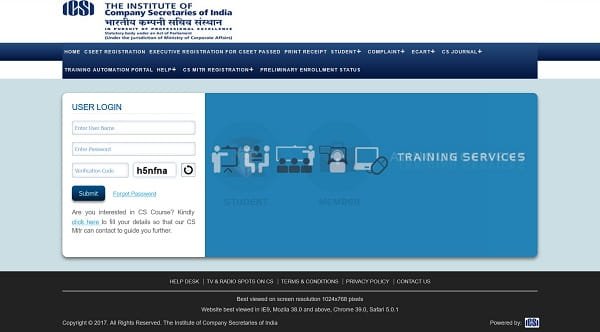
To log in to the Stimulate Portal, students should use their SMASH credentials, which include their student registration number and password. If you have forgotten your password, you can reset it through the SMASH Portal at smash.icsi.edu. For any technical support related to e-governance and training automation, students can submit their queries at support.icsi.edu, selecting “training services” as the topic and “e-governance automation in training services” as the sub-topic.
Key Features of the Stimulate Portal
-
Training Program Registrations: Students can register for various training programs, including the 15-day Specialized Training, through the portal. The portal provides detailed information about the training schedules, venues, and fees.
-
Document Management: The portal allows students to upload and manage their training certificates and other essential documents, ensuring a streamlined verification process.
-
Event Registrations: Students can register for upcoming events and programs organized by ICSI, keeping them engaged and informed about the latest developments in the field.
-
Technical Support: For any issues related to the portal, students can access dedicated support services to resolve their queries promptly.
Important Considerations
-
Timely Registrations: Ensure that you register for training programs and events within the stipulated deadlines to avoid any last-minute hassles.
-
Accurate Information: While uploading documents or filling out forms, double-check the information provided to prevent discrepancies.
-
Stay Updated: Regularly check the portal for updates on training schedules, new programs, and other important announcements.
-
Technical Requirements: For optimal performance, access the portal using updated browsers like IE 10+, Chrome 55.0, Mozilla 65.0, or Safari 8.x and above. The recommended screen resolution is 1024×768 pixels.
Email : wiro@icsi.edu Landline No. : 022- 61307919 / 61307900 if have any additional query.
Conclusion
The Stimulate Portal by ICSI is a vital tool for students pursuing the Company Secretary course. By providing a centralized platform for training registrations, document management, and event updates, it simplifies the administrative processes and enhances the overall student experience. Students are encouraged to familiarize themselves with the portal’s features and utilize them effectively to ensure a smooth academic journey.